


I spend a lot of time thinking about how churches and ministries can use AI to do what they already do — just better. And when Anthropic (the company behind Claude AI) launched their nonprofit program offering up to 75% off for qualifying organizations, I immediately thought about what that means for churches.
Because here’s the thing: most churches are trying to do a lot with very little. One pastor. A few volunteers. A small staff stretched thin across Sunday services, social media, pastoral care, bulletins, newsletters, visitor follow-up, and about a dozen other things that all feel equally urgent. AI doesn’t replace any of that human work — but it can take a real load off the operational side of things, so your people can focus on what only they can do.
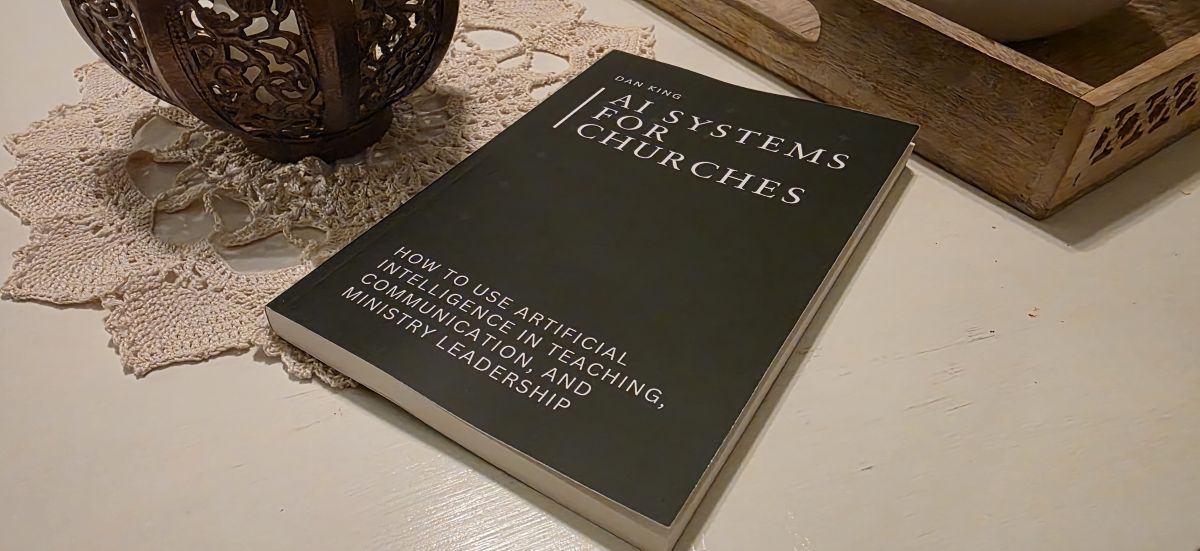
I wrote a whole book about this called AI Systems for Churches, and one of the core ideas running through it is that AI works best when it’s built into real systems, not used randomly. The tools I’m about to share are the foundation of that stack. And when you put them together, you’re looking at roughly $31 a month to give a church genuinely powerful AI capabilities.
Let’s walk through them.
1. Claude (via Claude for Nonprofits)
Claude is the tool I’d put at the center of everything a church does with AI — and it’s the one I built most of the systems in the book around.
In the teaching preparation chapter, I describe Claude as a study partner and idea-development assistant — something that helps you go deeper into passages, think more broadly about application, and organize your thoughts into strong teaching structures. The key phrase there is what it doesn’t do: it doesn’t write your sermons. What it actually does is help you prepare them more thoroughly.
The way I use it for teaching prep is conversational. After doing my own prayerful study of a passage, I essentially sit down with Claude the way I’d sit down with a knowledgeable friend and start thinking out loud. Because the AI has my exegetical framework and theological guidelines already loaded, it can track with where I’m going, surface connections I hadn’t made, and help me develop my ideas — rather than just generating something generic from a blank prompt.
Beyond sermon prep, Claude handles the full communication load: newsletters, emails, volunteer communications, bulletin announcements, visitor follow-up, event promotion. Once you’ve defined your church’s voice and tone (the book walks through how to build that), it produces content that actually sounds like your church — not like every other AI-generated church email.
And for qualifying nonprofits (which includes most 501(c)(3) churches), Anthropic’s nonprofit program offers up to 75% off the Team plan. The verification is quick, the discount doesn’t expire annually, and you end up at about $8/user/month. That’s the deal that makes this a no-brainer.
Cost: ~$16/month (2 users after nonprofit discount)
2. NotebookLM (Google)
One of the ideas I come back to throughout the book is the concept of one sermon becoming a week’s worth of content that extends its reach far beyond the people who were in the room. NotebookLM is the tool that helps make that happen.
Here’s how I use it: I upload existing content — sermon series notes, teaching transcripts, a body of writing I’ve built around a particular topic — and then let it generate ideas from that material. Social media posts. Email newsletter angles. Discussion prompts for your Facebook group or small group. Infographics. Videos. It essentially turns a library of content you’ve already created into an ongoing content engine.
For churches, think about what’s already sitting in your archives. Sermon series. Bible study content. Devotionals. Teaching notes. That’s years of material that most congregations never fully leverage. NotebookLM can help you surface and repurpose it in ways that keep people engaged throughout the week, not just on Sunday.
The free version handles just about all of what you’ll need. (Plus, Google has some pretty nonprofit-friendly offers too if you need more.)
Cost: Free
3. OpusClip
In the book, I mention that if you record your sermons on video, there are tools that can identify compelling clips for Reels and YouTube Shorts — and that one sermon can become a week’s worth of digital content. OpusClip is the tool I love for this.
It reviews the full video of a service or teaching, identifies the strongest moments, and creates short-form vertical clips ready to post throughout the week. What I particularly like is that it gives each clip a virality score — its prediction of how well that clip will perform. That makes prioritizing easy. You’re not watching back through an hour of footage trying to find the right thirty seconds. You scan the scores and know immediately what’s worth grabbing.
For churches that already have someone handling video, this fits naturally into the social media side of the communication system. For churches just getting started with video, it dramatically lowers the barrier.
Cost: ~$15/month (Starter plan)
4. Canva Pro (Free for Nonprofits)
Most churches need a constant stream of visuals: social media graphics, event flyers, announcement slides, bulletin covers, series artwork. And most churches don’t have a graphic designer on staff.
Canva‘s template library handles a lot of that, and it’s already familiar to most people in a church communications role. But the feature I want to highlight is AI image generation. This opens up creative possibilities that most ministries couldn’t pull off otherwise.
Teaching through the book of Jonah? Have Canva generate a stained glass-style image of the whale spitting Jonah onto the shore. And no, that doesn’t mean every image you create now has to be in stained glass style just because I got that stuck in your head. You’re welcome.
The point is that you can create custom, thematically specific images on demand — no stock photo subscriptions, no waiting on a volunteer who has design skills but also has a full-time job. Describe what you need and go. For nonprofits with up to 50 users, Canva Pro is free.
Cost: Free (for nonprofits)
What This Actually Costs
Put it all together and you’re looking at about $31/month minimum:
- Claude for Nonprofits (2 users): ~$16/month
- NotebookLM: Free
- OpusClip Starter: ~$15/month
- Canva Pro: Free
That’s a genuinely capable AI stack for a church budget. The tools are accessible and the cost is manageable.
What takes a little more investment is building the systems behind those tools — the workflows your team can follow consistently, the voice guidelines that keep your communication on-brand, the teaching preparation frameworks that make AI output actually useful rather than generic. That’s the difference between a church that tries AI and a church that gets lasting results from it.
That’s exactly what AI Systems for Churches is built to help you do. It walks through each major ministry system — teaching preparation, communication, discipleship and programming, administration, and data — with practical, repeatable workflows for putting these tools to work inside a real church context.
If you’re ready to stop using AI randomly and start building something that actually compounds, it’s a good next step.
Not sure where your church’s online presence stands? Start with a free website grade.





0 Comments